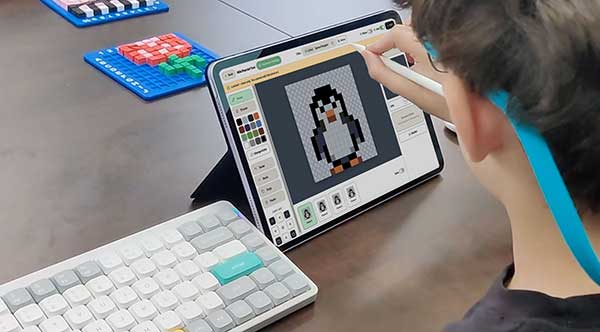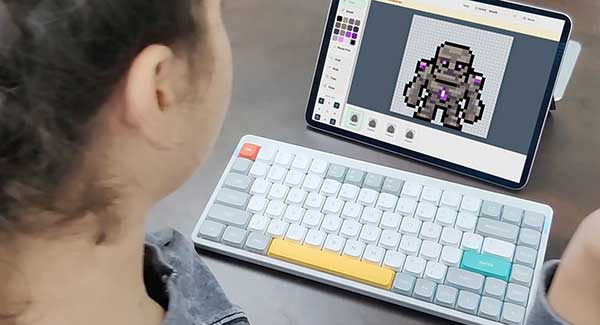
Pixel Game Lab is a creative platform where kids draw characters, create animations, build levels, write stories, package games, publish them, share pixel art, and play games made by others.
Pixel Game Lab is a proprietary game design toolset owned by Game Design Academy® and used in selected elementary school programs in the United States. It was first built for our students and used inside our real game design curriculum. Now, we are making it available for everyone.
Many professional game engines are too complicated for kids when they are just starting. Pixel Game Lab makes game design easier to understand by focusing on visual creation, step-by-step tools, and playful learning. Instead of starting with code, students start with creativity:
Everything works together inside one platform, so students can go from an idea to a finished playable game.
Pixel Game Lab is a game maker for many kinds of pixel art games: side-scrolling Platformers, Shooters and Runners, and top-down RPGs, Shooters and Dual-stick arenas, and one game can mix them.
Create your characters, animate them, build levels and worlds, and publish your own games. Three tools, used in order, take an idea all the way to a finished, playable game.

Create characters, tiles, decorations, animations, enemies, NPCs, powerups and more, with a built-in concept-art sketchpad to trace from.

Build side-scrolling and top-down levels, six level types, with your art or the PGL Library, characters, hazards, checkpoints and function blocks.

Put it all together: choose a hero, add levels, write a story, make a cover, test it, and submit it.
When a game is ready, it can be shared and played by everyone. Creators can share their pixel art too.

Approved games are free to play for everyone in the Pixel Game Lab Games Catalog.

Share free pixel art with the community, or download free shared art into your own library.
Pixel Game Lab is not focused on coding first. It is focused on game design first. Students learn how to design characters, organize ideas, build worlds, create challenges, test gameplay, and improve their projects.
This makes it a great starting point for younger students who want to make games but are not ready for advanced programming tools yet.
Pixel Game Lab is built with kids and schools in mind.
This helps create a safer creative environment for students, families, and school communities.
Schools run Pixel Game Lab through the Game Design Academy teacher portal at portal.gamedesignacademy.com. A teacher sets up classes and student accounts there, starts a class session, and students sign in to Pixel Game Lab with a class code, never with an email address.
Teachers can sign in to the portal with their school Google account and import a Google Classroom roster into a class with one click. Pixel Game Lab reads only the teacher's Google account id and email, the names of their Classroom classes, and the first and last names of the students in the class they pick. It is read-only, nothing is written back to Google Classroom, and student email addresses are never read. The details are in our privacy policy.
Pixel Game Lab is not just a game-making app, it is a learning platform. Students learn by making real projects: they start with an idea, create assets, design levels, test their work, improve it, and publish a finished game.
This process helps students develop creativity, patience, focus, problem-solving, storytelling, and digital design skills. Because it was built for actual students and school programs, every tool is designed around how young creators learn, stay engaged, and complete projects.
Whether you are a student, parent, teacher, or school, Pixel Game Lab makes game design easier, safer, and more creative. Make games. Make worlds. Make magic.